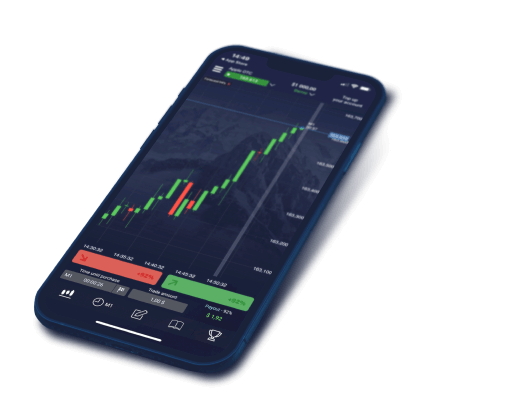
Optimized charts rendering engine reduces loading time and increases battery life up to 25%.
English
Menu

$5 *
Minimum investment amount$1
Minimum trade amount$50000
Virtual money on your Demo account50+
Payment methods$0
No commission on deposit and withdrawal100+
Assets for trading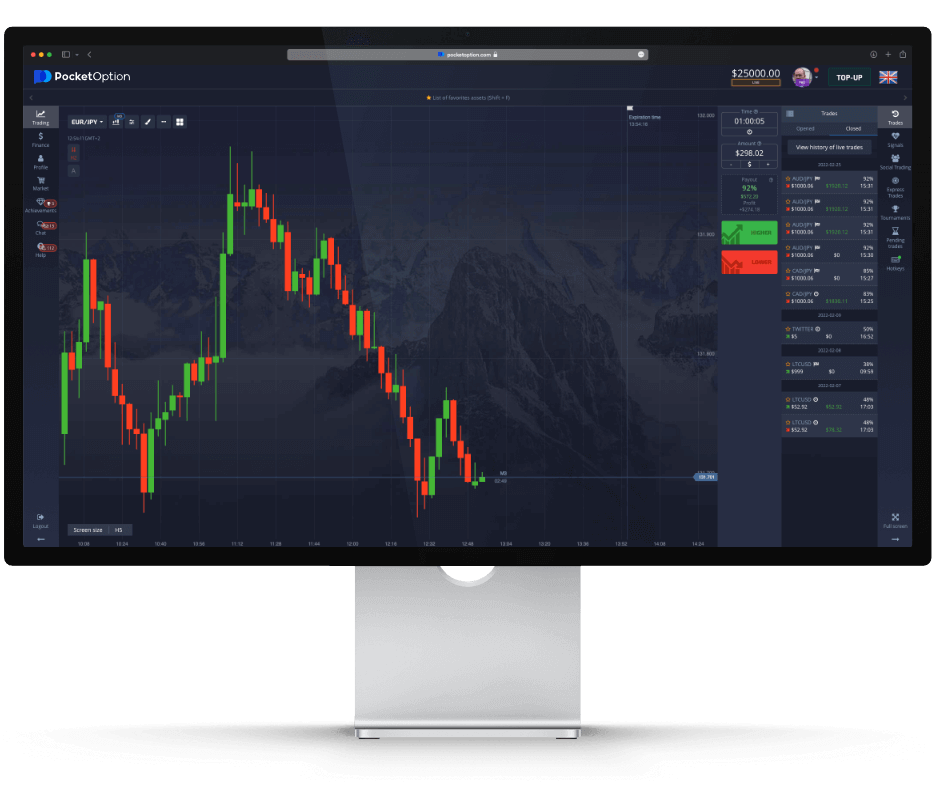

Flexible Trading
Quick and digital trading, express trades, copy trading.

Full Education
Learning materials, guides and trading strategies.

Wide Instrument Selection
Assets for any trader: forex, commodities, stocks.

Demo Account
Try the platform risk-free with virtual funds.

Easy Deposits & Withdrawals
Fast payments via 50+ methods worldwide.

High Customer Loyalty
Tournaments, bonuses, promo codes for every trader.

Trading Advantages
Cashback and perks for comfortable trading.

Indicators & Signals
All tools for top-level trading performance.
Start trading in one click
Start tradingEnter your email and get a special offer from Pocket Option.
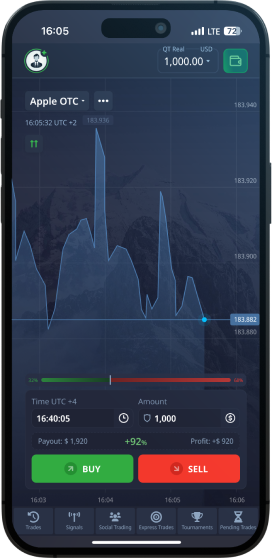
Artificial intelligence has gradually become a practical component of retail trading platforms, and Pocket Option is no exception. The platform integrates several AI-assisted tools designed to help traders identify market patterns, detect potential entry points, and even automate trade execution. These features are built directly into the web and desktop trading interface, meaning no third-party software installation is required. However, understanding what these tools actually do — and what they cannot do — is essential before relying on them with real capital. This article breaks down each AI feature available on Pocket Option, how to configure them, their realistic accuracy levels, and how to use them responsibly.
Pocket Option offers a built-in market scanner that uses algorithmic pattern recognition to analyze price charts in real time. The scanner monitors multiple assets simultaneously and flags potential trading opportunities based on technical patterns such as support and resistance levels, trend reversals, and momentum shifts. When a signal is generated, the platform displays a directional suggestion — either a call or put — along with a recommended expiry time. This signal is not a guarantee of profit; it is a probabilistic suggestion derived from historical pattern data. The scanner works across the platform's full asset range, including currency pairs, commodities, indices, and cryptocurrencies, and updates continuously as new price data arrives.
| AI Feature | Description | Accuracy | Setup Complexity | Suitable for Beginners? |
|---|---|---|---|---|
| Market Scanner | Real-time pattern recognition across multiple assets; generates call/put signals with suggested expiry | 60–70% under stable market conditions | Low — enabled from the trading panel with no configuration required | Yes, with caution |
| AI Trading Bot | Automated trade execution based on AI-generated signals; places trades without manual confirmation | Variable; depends on asset volatility and signal filter settings | Medium — requires setting trade size, asset selection, and signal sensitivity | Not recommended without demo testing first |
| Signal Strength Indicator | Visual confidence rating attached to each AI signal, displayed as a percentage or bar indicator | Higher-rated signals historically perform better, but not reliably above 75% | Low — displayed automatically alongside signals | Yes |
| Copy Trading AI Matching | Algorithmic system that ranks and suggests traders to copy based on performance metrics, drawdown history, and consistency | Dependent on the copied trader's ongoing performance | Low — filter settings available in the Social Trading section | Yes, suitable as a passive approach |
| Trend Detection Algorithm | Identifies prevailing short-term trend direction on selected assets and highlights alignment with current signals | Reliable in trending markets; less effective in sideways price action | Low — integrated into the chart interface | Yes |
| Expiry Time Optimizer | Suggests optimal trade duration based on current volatility and pattern type detected by the scanner | Improves signal-to-expiry alignment; does not predict outcome | Low — applied automatically when scanner is active | Yes |
The AI Trading Bot feature takes automation a step further by executing trades automatically when the scanner generates a signal that meets the user's predefined criteria. To configure it, traders access the bot settings panel within the platform, where they can define the trade amount per signal, select which assets the bot should monitor, set a maximum number of trades per session, and choose a minimum signal strength threshold before a trade is placed. The bot runs within the browser session and does not operate independently when the platform is closed. This is an important distinction — Pocket Option's AI bot is session-dependent, not a server-side automated system, which means the trader's device must remain active for the bot to function.
Pocket Option's Social Trading section incorporates an AI-driven ranking system that evaluates registered signal providers based on a combination of factors: win rate over the past 30 days, maximum drawdown, number of active followers, average trade duration, and consistency of returns. The algorithm surfaces traders who meet a balanced performance profile rather than simply those with the highest short-term win rate. Users can apply additional filters manually — such as minimum trade count, preferred assets, or risk level — and the AI adjusts its recommendations accordingly. Once a trader is selected for copying, all their trades are mirrored proportionally to the follower's chosen allocation. The AI matching does not eliminate the risk of loss; past performance of any signal provider does not guarantee future results.
The core limitation of any AI trading tool on a binary options or short-term trading platform is that no algorithm can consistently predict short-duration price movements with high accuracy. Markets are influenced by factors — geopolitical events, liquidity shifts, institutional order flow — that pattern recognition systems cannot anticipate. Pocket Option's AI features are genuinely useful for reducing the time spent scanning charts and for providing a structured framework for trade selection, but they carry the same fundamental risk as manual trading. Full automation without oversight is the fastest way to deplete a trading account. Used with defined risk parameters, realistic expectations, and regular performance review, these tools can form a productive part of a disciplined trading approach.
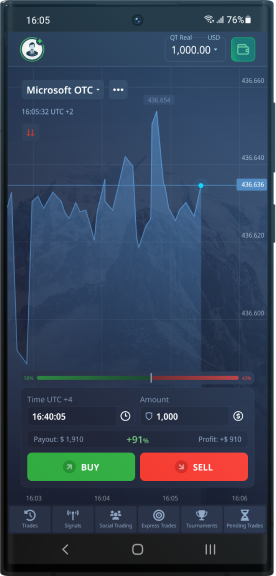
Pocket Option provides a fully featured mobile trading application that mirrors the functionality of its web-based platform, allowing traders to manage positions, analyze markets, and execute trades from virtually anywhere. The app is available for both major mobile operating systems and has been designed with a responsive interface that adapts cleanly to smaller screens without sacrificing access to core tools. Whether a trader is using a budget Android device or a current-generation iPhone, the application delivers a consistent and stable trading environment. This level of mobile accessibility reflects the growing demand among retail traders for platforms that do not require a desktop setup to operate at full capacity.
The Pocket Option mobile app is distributed through multiple channels depending on the operating system and region. For iOS users, the application is available directly through the Apple App Store and is compatible with devices running iOS 12.0 or later. iPhone and iPad users can search for Pocket Option in the App Store and install it through the standard process without any additional configuration. For Android users, the situation involves two options. In select countries where the app has received regional approval, it is listed on Google Play and can be installed through that marketplace. However, for users in regions where the Google Play listing is unavailable, Pocket Option offers a direct APK download from its official website, which allows installation outside of the standard app store process.
Installing the APK manually on Android requires a few additional steps compared to a standard app store installation. The process is straightforward but does require enabling a specific device setting before proceeding. Below is a step-by-step guide for installing the Pocket Option APK on an Android device:
The Pocket Option mobile app has modest system requirements that make it accessible on a wide range of devices. For Android, the minimum supported version is Android 5.0 (Lollipop), though Android 7.0 or higher is recommended for optimal performance. The APK file size is approximately 30 to 40 MB, making it a lightweight installation that does not place significant demands on device storage. For iOS, the app requires iOS 12.0 or later and is compatible with iPhone, iPad, and iPod touch. A stable internet connection, either via Wi-Fi or mobile data, is necessary for real-time price feeds and trade execution. The app does not require high-end hardware and runs adequately on mid-range devices released within the past five years.
The mobile interface has been optimized for touch interaction, with larger tap targets for order buttons, swipe-based chart navigation, and a simplified menu structure that keeps the most frequently used functions within one or two taps. The charting module supports multiple timeframes and a selection of technical indicators, though the number of simultaneously displayed indicators may be slightly reduced compared to the full desktop experience due to screen real estate constraints. The overall layout prioritizes the trading chart and the quick-order panel, keeping distractions minimal during active trading sessions.
| Feature | Mobile App | Web Platform |
|---|---|---|
| Full asset catalog | Yes | Yes |
| Demo and real account | Yes | Yes |
| Copy Trading | Yes | Yes |
| Deposit and withdrawal | Yes | Yes |
| Technical indicators | Limited selection | Full selection |
| Chart drawing tools | Basic tools | Extended tools |
| Push notifications | Yes | Browser notifications only |
| Biometric login | Yes | No |
| Dark theme | Yes | Yes |
| Tournament access | Yes | Yes |
| Multi-window trading | No | Yes |
For most trading activities, the mobile app delivers a functionally complete experience that closely matches what is available through the browser-based platform. The primary differences are found in advanced charting capabilities, where the web version offers a broader set of drawing tools and the ability to display multiple chart windows simultaneously. Traders who rely heavily on complex technical analysis setups may find the desktop environment more practical for that specific workflow, while using the mobile app for monitoring and executing trades on the move. For the majority of users whose trading involves straightforward asset selection, order placement, and account management, the mobile app is a fully capable alternative that requires no compromise in day-to-day functionality.
Pocket Option provides every registered user with access to a fully functional demo account, loaded with $50,000 in virtual funds. This account requires no deposit and no verification to activate — it becomes available immediately upon registration. The demo environment is not a simplified simulation; it mirrors the live trading platform in every meaningful way, including asset selection, price feeds, expiry times, payout percentages, and interface layout. For traders who are new to binary options or to the Pocket Option platform specifically, the demo account represents the most practical starting point available before committing any real capital.
One of the most practical aspects of the Pocket Option demo account is that the virtual balance can be replenished. If a trader depletes the $50,000 through losses or experimentation, the balance can be topped up again directly from the account dashboard. This removes any artificial pressure to preserve the virtual funds and allows traders to test aggressive strategies, high-risk setups, or unfamiliar asset classes without concern. The ability to reset and continue practicing is particularly valuable during the early stages of learning, when mistakes are frequent and the cost of those mistakes should remain zero.
| Parameter | Demo Account | Real Account |
|---|---|---|
| Starting Balance | $50,000 virtual funds | Depends on deposit amount |
| Deposit Required | No | Yes, minimum $5 |
| Asset Selection | Full access (100+ assets) | Full access (100+ assets) |
| Price Quotes | Real-time market quotes | Real-time market quotes |
| Payout Percentages | Same as live trading | Up to 92% on standard trades |
| Copy Trading Access | Yes, full access | Yes, full access |
| Tournament Participation | Yes, demo tournaments available | Yes, real-money tournaments available |
| Balance Top-Up | Yes, on demand | Requires additional deposit |
| Withdrawal of Profits | Not available | Available |
| Psychological Pressure | None (virtual funds) | Present (real capital at risk) |
As the comparison table illustrates, the structural difference between the demo and real account is minimal from a technical standpoint. The platform interface, the available instruments, the charting tools, and the execution mechanics are identical. The primary distinctions are financial: demo profits cannot be withdrawn, and demo losses carry no real consequence. This design is intentional — Pocket Option built the demo environment to function as a genuine rehearsal space rather than a stripped-down preview. Traders switching from demo to live trading encounter no learning curve related to platform mechanics, which reduces friction at a critical transition point.
Simply opening trades on a demo account without structure produces limited learning value. To extract meaningful preparation from the demo environment, traders should approach it with the same discipline they intend to apply on a live account. This means defining a trading strategy before opening positions, recording trade outcomes, and analyzing results over a statistically meaningful sample size — typically a minimum of 50 to 100 trades before drawing conclusions about a strategy's viability. The demo account's replenishable balance makes this kind of systematic testing entirely feasible without any financial constraint.
Beginners in particular should resist the temptation to move to a real account prematurely. The psychological experience of trading with real money differs substantially from demo trading, but that transition becomes significantly smoother when a trader already has a tested strategy, a clear understanding of the platform, and a documented track record from demo sessions. Spending several weeks — or even months — on the demo account is not a sign of hesitation; it is a sign of preparation. Traders who arrive at their first real deposit with a defined methodology and realistic expectations consistently perform better than those who fund an account before understanding the mechanics of the instrument they are trading.
The Pocket Option demo account is a complete and unrestricted practice environment. Its value lies not in the $50,000 starting balance itself, but in the access it provides to real market conditions, real platform tools, and real trading scenarios — all without financial exposure. Used with intention and consistency, it is the most efficient preparation tool available to anyone learning to trade binary options on this platform.
Trading signals are one of the most widely used tools among binary options traders on the Pocket Option platform. A trading signal is essentially a recommendation to open a trade on a specific asset at a specific moment. Each signal contains three core components: the entry point (the price level or time at which to open the trade), the direction (either a Call/Up or Put/Down position), and the expiration time (how long the trade will remain open, typically ranging from 60 seconds to several minutes). When used correctly, signals can help traders — especially beginners — make more structured decisions rather than relying purely on intuition. However, no signal guarantees a profitable outcome, and understanding where signals come from and how to evaluate their quality is essential before incorporating them into any trading strategy.
Pocket Option traders have access to several distinct sources of trading signals, each with different levels of reliability, cost, and complexity. The platform itself offers a built-in social trading feature known as Copy Trading, which allows users to automatically replicate the trades of other verified traders on the platform. This is one of the most transparent signal sources available, since Pocket Option displays the historical performance, win rate, and active trader statistics of each trader available for copying. Beyond the platform's native tools, many traders turn to Telegram channels dedicated to Pocket Option signals. These channels vary enormously in quality — some are operated by experienced analysts who publish signals with clear asset names, entry times, directions, and expiration periods, while others are run by unverified individuals with no demonstrable track record. Additionally, some third-party websites and analytics tools generate signals based on technical indicators such as RSI, MACD, Bollinger Bands, and moving average crossovers, delivering them via web dashboards or browser notifications.
| Signal / Bot Type | Free / Paid | Avg. Win Rate | Risk Level | Recommended For |
|---|---|---|---|---|
| Pocket Option Copy Trading | Free | 55–70% | Medium | Beginners and intermediate traders |
| Official Pocket Option Robot | Free (built-in) | 50–65% | Medium–High | Traders testing automated strategies |
| Verified Telegram Signal Channels | Free & Paid | 55–68% | Medium | Active traders who monitor signals manually |
| Unverified / Anonymous Telegram Channels | Free & Paid | Unknown / Unreliable | Very High | Not recommended |
| Third-Party Browser Extension Bots | Free & Paid | 45–60% | High | Experienced traders only, with caution |
| Custom Scripts / API Bots | Free (self-built) | Varies widely | High | Developers and technically advanced traders |
| Paid Professional Signal Services | Paid (subscription) | 60–72% | Medium | Traders willing to invest in verified analytics |
The table above illustrates the significant variation in win rates and risk levels across different signal and bot types. It is important to note that even the highest reported win rates — typically around 70–72% for premium paid services — do not guarantee consistent profitability, particularly when trade sizing and money management are not properly applied. The official Pocket Option Robot and Copy Trading feature remain the most transparent options because their performance data is visible directly within the platform, making it easier to verify claims before committing real funds.
Trading bots automate the process of opening and closing trades based on predefined rules or signal inputs. On Pocket Option, the platform includes an official built-in Robot accessible from the trading interface. This robot allows traders to select from several pre-configured strategies — including strategies based on moving average crossovers, RSI overbought/oversold levels, and candlestick pattern recognition. Users can configure parameters such as trade amount, expiration time, the maximum number of trades per session, and stop-loss limits based on account balance percentage. The robot executes trades automatically without requiring the trader to be actively present at the screen. While this offers convenience, it also introduces risks: automated systems can execute a rapid series of losing trades if market conditions shift unexpectedly, and without proper stop-loss settings, a bot can deplete a trading account quickly. It is strongly advised to test any robot configuration on a demo account before applying it to a live account.
The binary options trading space, including the ecosystem around Pocket Option, has a well-documented problem with fraudulent signal providers and fake trading robots. Common scam patterns include Telegram channels that display fabricated win-rate screenshots, charge subscription fees for "VIP signals" with no verifiable history, and disappear after collecting payments. Some third-party browser extensions marketed as trading bots for Pocket Option have been found to contain malicious code capable of harvesting account credentials or manipulating trade execution. Traders should never install unverified browser extensions that request access to their trading account, and should avoid any signal service that promises guaranteed profits, claims win rates above 85% consistently, or pressures users into depositing more funds to access "premium" signals. Always verify signal provider credentials independently, use the platform's native Copy Trading feature as a safer alternative, and treat any automated tool as a supplement to — not a replacement for — sound risk management practices.
Understanding how withdrawals work on Pocket Option is essential for any trader who wants to manage their funds efficiently. The platform supports a wide range of payment methods, from bank cards and e-wallets to cryptocurrencies, each carrying its own processing timeline, minimum threshold, and fee structure. Pocket Option sets the global minimum withdrawal amount at $10, which makes it accessible even for traders operating with smaller account balances. However, the speed at which funds arrive depends heavily on the method chosen, the completeness of your account verification, and whether any compliance checks are triggered during processing. Knowing these variables in advance helps you plan your cashouts without unnecessary surprises.
| Method | Min Amount | Daily Maximum | Processing Time | Fee |
|---|---|---|---|---|
| Visa / Mastercard | $10 | $10,000 | 1–3 business days | None (bank fees may apply) |
| Bitcoin (BTC) | $10 | $50,000 | Up to 1 hour | Network fee only |
| Ethereum (ETH) | $10 | $50,000 | Up to 1 hour | Network fee only |
| Tether (USDT) | $10 | $50,000 | Up to 1 hour | Network fee only |
| Skrill | $10 | $10,000 | 1–24 hours | None from Pocket Option |
| Neteller | $10 | $10,000 | 1–24 hours | None from Pocket Option |
| Perfect Money | $10 | $10,000 | 1–24 hours | None from Pocket Option |
| Bank Wire Transfer | $50 | $50,000 | 3–5 business days | Varies by bank |
Cryptocurrency withdrawals are consistently the fastest option available on Pocket Option. Once a request is approved internally, transactions in Bitcoin, Ethereum, or Tether are typically broadcast to the blockchain within an hour, with final confirmation depending on network congestion at the time. E-wallets such as Skrill, Neteller, and Perfect Money occupy a middle ground, usually completing within a few hours but occasionally stretching to a full 24-hour window during periods of high platform activity or when additional review is required. Bank card withdrawals follow the slowest timeline at one to three business days, largely because card networks and issuing banks introduce their own processing layers that Pocket Option cannot control once the funds leave its system. Bank wire transfers carry the highest minimum at $50 and can take up to five business days, making them better suited for larger, less time-sensitive withdrawals.
One of the most important policies traders need to understand is Pocket Option's same-method withdrawal restriction. The platform requires that funds be returned through the same payment method used for the original deposit. If you deposited via a Visa card, your withdrawal must go back to that same card. If you used Bitcoin to fund your account, profits must be withdrawn in Bitcoin. This rule exists primarily as an anti-money-laundering measure and is standard practice across regulated financial platforms. It means you cannot deposit via one method and then redirect funds to a different wallet or account. In cases where the original deposit method is no longer available — for example, an expired card — you will need to contact Pocket Option support and provide documentation before an alternative method can be approved.
For withdrawals exceeding certain thresholds, Pocket Option may request identity verification documents before processing the transaction. This typically involves submitting a government-issued photo ID, proof of address dated within the last three months, and in some cases proof of ownership for the payment method being used. Traders who complete full KYC verification proactively — before requesting a large withdrawal — tend to experience significantly shorter processing times, since the compliance review has already been completed. Accounts that have not undergone any verification and suddenly request a high-value withdrawal are far more likely to face delays while the platform's compliance team reviews the request.
Pocket Option operates a tiered account system, and traders who hold VIP status receive prioritized withdrawal processing. VIP accounts are typically granted to traders who maintain higher account balances or meet specific trading volume thresholds. For these users, withdrawal requests are moved to the front of the processing queue, which can meaningfully reduce wait times, particularly for card and e-wallet methods. While cryptocurrency withdrawals are already fast for all users, VIP priority becomes most noticeable with fiat-based methods where internal review queues can otherwise create delays during busy periods.
Withdrawing funds from Pocket Option is a straightforward process when you understand the rules and plan accordingly. The platform does not charge its own withdrawal fees on most methods, though network fees for crypto and third-party charges from banks or e-wallet providers may still apply on the receiving end. Choosing the right method for your situation — balancing speed, limits, and convenience — is the most effective way to ensure a smooth cashout experience. Traders who stay informed about verification requirements, respect the same-method policy, and keep their account documents up to date will consistently encounter fewer delays and a more predictable withdrawal process overall.
Pocket Option structures its trading environment around a tiered account system designed to accommodate traders at every stage of their journey, from complete beginners exploring binary options for the first time to seasoned professionals managing significant capital. Each account tier comes with a distinct set of features, payout rates, and support levels, allowing traders to progress naturally as their skills and deposit volumes grow. Understanding the differences between these tiers is essential for making informed decisions about how to engage with the platform and what to expect in terms of trading conditions, withdrawal speed, and access to premium services.
The platform currently offers four primary account categories: Demo, Real, Pro, and VIP. Each serves a specific purpose and targets a different trader profile. The Demo account is a risk-free environment funded with virtual capital, while the Real account is the standard live trading account accessible with a minimal deposit. The Pro account unlocks enhanced payout percentages and faster withdrawal processing, and the VIP tier represents the highest level of service on the platform, offering personalized support and exclusive trading conditions. Traders are not locked into a single tier permanently — account status can be upgraded based on deposit activity and trading volume.
| Feature | Demo Account | Real Account | Pro Account | VIP Account |
|---|---|---|---|---|
| Minimum Deposit | None (virtual funds) | $5 | $1,000+ | $3,000+ |
| Starting Balance | $50,000 virtual | From $5 real | From $1,000 real | From $3,000 real |
| Maximum Payout | Up to 92% (simulated) | Up to 92% | Up to 96% | Up to 100%+ |
| Withdrawal Priority | N/A | Standard | Priority | Express (same day) |
| Personal Account Manager | No | No | No | Yes |
| Exclusive Bonuses | No | Standard promotions | Enhanced bonuses | Exclusive VIP bonuses |
| Balance Top-Up | Unlimited resets | Via deposit | Via deposit | Via deposit |
| Access to All Assets | Yes | Yes | Yes | Yes |
The Demo account is particularly well-suited for new traders who need time to understand how binary options work before committing real capital. It provides $50,000 in virtual funds that can be reset an unlimited number of times, meaning there is no pressure to preserve the balance. Every feature available on the live platform — including all asset classes, chart tools, indicators, and trade types — is accessible in demo mode. This makes it a genuinely useful environment for testing strategies, not just a stripped-down preview. Traders who have experience on other platforms can also use the demo account to familiarize themselves with Pocket Option's specific interface and execution mechanics before going live.
The Real account is the entry point for live trading and requires a minimum deposit of just $5, which is notably low compared to industry standards. This accessibility makes it practical for traders who want to test the platform with real money but are not yet ready to commit larger sums. The minimum trade size on a Real account is $1, and traders have access to the full range of over 100 tradeable assets, including currency pairs, commodities, indices, stocks, and cryptocurrencies. Payout rates on the Real account reach up to 92% depending on the asset and expiry time selected. The Pro account becomes available once a trader's cumulative deposit reaches the $1,000 threshold. At this level, payout rates increase noticeably, withdrawal requests receive priority processing, and traders gain access to enhanced bonus structures that are not available at the standard tier.
VIP status is granted to traders whose total deposits reach or exceed $3,000. Once this threshold is met, the account is reviewed and upgraded, typically within a short processing window. The practical advantages of VIP status go beyond higher payout ceilings. A dedicated personal account manager is assigned to each VIP client, providing direct communication for account-related questions, withdrawal assistance, and trading support. Withdrawal requests at the VIP level are processed on an express basis, often within the same business day. VIP traders also receive access to exclusive bonus offers that are not publicly advertised, as well as higher maximum trade limits that allow for larger position sizes per trade.
Selecting the appropriate account type is not a one-time decision but an evolving choice that should reflect a trader's current skill level, risk tolerance, and capital availability. The tiered structure on Pocket Option is designed so that progression feels natural rather than forced — traders move up as their activity and confidence grow, gaining access to better conditions at each stage. For most traders, starting with the demo account and transitioning to a Real account with a modest deposit represents the most measured path forward, with Pro and VIP status becoming relevant goals as trading volume and consistency increase over time.
Pocket Option is a binary options and digital trading platform operated by Gembell Limited, registered in the Marshall Islands and licensed by the IFMRRC. The platform serves traders from numerous countries and offers over 100 trading assets, a proprietary web terminal, and mobile applications for both Android and iOS. However, users in certain regions — including parts of Eastern Europe, Central Asia, and countries with strict financial regulation — may find that the main domain is inaccessible. This can happen due to decisions by national telecommunications regulators, court orders, ISP-level filtering, or government restrictions on binary options trading as a financial instrument. Understanding how to regain access safely and legally is essential for any trader who relies on the platform.
A mirror site is an exact technical copy of the original website hosted on a different domain name or IP address. When the primary domain of Pocket Option is blocked by an internet service provider at the DNS or IP level, a mirror allows users to reach the same trading infrastructure — the same accounts, balances, and trading engine — through an alternative web address. Official mirrors are created and maintained by the broker itself, meaning they connect to the same backend servers and use the same SSL encryption. Unofficial mirrors, by contrast, are created by third parties and carry serious risks: they may be phishing pages designed to steal login credentials, or modified versions of the platform that manipulate trade outcomes. The visual appearance of an unofficial mirror can be indistinguishable from the real site, making it one of the most dangerous threats to a trader's account security and funds.
| Access Method | Difficulty | Speed | Security | Recommended |
|---|---|---|---|---|
| Official Mirror Site | Low | High | High (SSL, same backend) | Yes |
| VPN (paid, e.g. OpenVPN/WireGuard) | Low–Medium | Medium–High | High (encrypted tunnel) | Yes |
| VPN (free) | Low | Low–Medium | Medium (data logging risks) | With caution |
| Mobile App (Android APK / iOS) | Low | High | High (official build) | Yes |
| DNS Change (e.g. 1.1.1.1 or 8.8.8.8) | Low | High | Medium (no encryption) | For DNS-only blocks |
| Tor Browser | Medium | Low | Medium (exit node risks) | Last resort only |
| Unofficial Mirror (third-party) | Low | Variable | Very Low (phishing risk) | No |
For most users, a VPN is the most practical and secure method to bypass regional restrictions. A VPN routes your internet traffic through a server in another country, effectively masking your real location from your ISP and making the Pocket Option domain accessible as if you were browsing from an unrestricted region. When choosing a VPN protocol, WireGuard offers the best balance of speed and security for active trading, while OpenVPN remains a reliable and widely supported option. Paid VPN services from established providers are strongly preferred over free alternatives — free VPNs frequently monetize user data, impose bandwidth caps that interfere with real-time trading, and may lack the no-logs policies that protect your privacy. If you use a VPN, connect to a server in a country where Pocket Option operates without restrictions before opening the trading terminal.
The official Pocket Option mobile application represents one of the most reliable alternatives to browser-based access. The iOS version is available through the App Store in supported regions, while the Android version can be downloaded directly as an APK file from the broker's official communications if it is not available in your regional Google Play store. Installing an APK from the official source bypasses both ISP-level domain blocking and app store regional restrictions simultaneously. The application connects directly to Pocket Option's trading servers and does not depend on a domain name in the same way a browser does, which means it often remains functional even when the web platform is blocked. Always verify the APK source before installation — only use files distributed through Pocket Option's verified Telegram channel or official email communications.
Pocket Option maintains active communication channels specifically to help users in restricted regions find current working addresses. The safest and most up-to-date sources for official mirror links are:
The risks associated with unofficial mirrors cannot be overstated. Fraudulent mirror sites are specifically engineered to appear identical to the legitimate Pocket Option platform, complete with copied branding, interface elements, and even fabricated SSL certificates. A trader who logs into an unofficial mirror may have their credentials harvested immediately, resulting in unauthorized access to their real account and loss of deposited funds. In more sophisticated attacks, the fake platform may allow small withdrawals initially to build trust before blocking access entirely. The only reliable protection against this threat is to obtain mirror addresses exclusively from the official sources described above and to verify that any mirror domain uses a valid SSL certificate issued to an entity associated with Pocket Option or Gembell Limited. When in doubt, the mobile application installed from a trusted source remains the safest path to accessing your account without exposure to phishing infrastructure.
Pocket Option is a binary options trading platform that has been operating since 2017, registered under Gembell Limited and regulated by the IFMRRC. The platform serves traders across numerous countries and provides access to over 100 trading assets including currency pairs, cryptocurrencies, stocks, and commodities. Once you complete registration, your personal account becomes the central hub for all trading activity, financial operations, and profile management. Understanding how to access and navigate this account efficiently is essential for any trader who wants to make the most of what the platform offers. The login process is straightforward, but there are several methods available depending on your device and preferences, and the account interior contains far more functionality than many new users initially realize.
To access your Pocket Option account via the official website, navigate to the main page and click the Sign In button located in the upper right corner. The platform supports four distinct login methods. The primary method uses your registered email address and password — simply enter both credentials into the respective fields and click the login button. Alternatively, you can authenticate using a linked Google account, Facebook account, or Apple ID by clicking the corresponding social login button. These OAuth-based options allow you to log in without entering a password manually, provided you previously linked that social account during registration or through your profile settings. If you have two-factor authentication enabled, you will be prompted to enter a one-time code from your authenticator app immediately after the primary credentials are verified. This additional layer of security significantly reduces the risk of unauthorized access even if your password is compromised.
| Section | What It Contains | What It's Used For |
|---|---|---|
| Dashboard | Real account balance, demo balance, active trades, recent results | Quick overview of current trading status and account funds |
| Trade History | Closed positions with asset, direction, amount, expiry, and profit/loss | Reviewing past performance and analyzing trading decisions |
| Deposit & Withdrawal | Payment methods, transaction history, pending requests | Funding the account and withdrawing earned profits |
| Profile Settings | Personal data, password change, linked social accounts, 2FA setup | Managing account security and personal information |
| Document Verification | KYC document upload forms, verification status indicator | Completing identity verification to unlock full withdrawal access |
| Affiliate Program | Referral link, referred users list, commission earnings | Earning commissions by inviting new traders to the platform |
| Crystals & Reward Store | Crystal balance, available rewards, redemption history | Exchanging crystals earned from trading activity for bonuses and prizes |
| Notifications | System alerts, promotional messages, trade result notifications | Staying informed about account activity and platform updates |
The personal account interior is organized to give traders immediate access to both operational and administrative functions. The demo account balance, which starts at $50,000 in virtual funds and can be reset at any time, sits alongside the real account balance on the main dashboard. This makes it easy to switch between practice and live trading without navigating away from the primary interface. The open positions panel updates in real time, showing the current status of any active trades including the asset, investment amount, direction, expiry time, and live profit or loss figure. The deposit and withdrawal section supports a wide range of payment methods including bank cards, cryptocurrencies, and various e-wallets, with minimum deposit amounts starting at $5 depending on the selected method.
The Pocket Option mobile application is available for both Android and iOS devices and mirrors the full functionality of the web platform. After installing the app, tap Log In on the welcome screen and enter your email and password, or use the Google, Facebook, or Apple ID options just as you would on the desktop version. The mobile interface is optimized for touchscreen navigation and supports the same real-time trading, deposit, and account management features. If you forget your password, click the Forgot Password link on the login screen, enter your registered email address, and Pocket Option will send a password reset link to that address. Follow the link in the email, set a new password that meets the platform's security requirements, and log in with the updated credentials. It is advisable to use a strong, unique password and to enable two-factor authentication through the Profile Settings section using a compatible authenticator application, which generates time-based one-time passwords for each login attempt.
Taking the time to properly configure your Pocket Option personal account after the first login pays dividends in both security and usability. Enabling two-factor authentication, completing document verification early, and setting your preferred language and theme ensures that the platform works the way you need it to from day one. The crystals reward system, which accumulates points based on your trading volume and activity, is worth monitoring through the dedicated section as it provides access to bonuses and merchandise through the reward store. Traders who familiarize themselves with every section of the personal account — rather than focusing solely on the trading terminal — tend to manage their funds more effectively and take fuller advantage of the tools the platform provides.
Pocket Option operates a multi-layered bonus program designed to provide traders with additional capital and incentives at various stages of their trading activity. The program encompasses a welcome deposit bonus, weekly cashback, reload bonuses, promo code offers, a referral scheme, and tournament prize pools. Unlike simple one-time promotions, the structure is ongoing, meaning active traders can consistently access bonus funds throughout their time on the platform. Understanding how each component works, and particularly how bonus turnover requirements apply, is essential before claiming any offer, as the conditions attached to bonus funds directly affect a trader's ability to withdraw profits generated while a bonus is active.
The table below summarizes the main bonus types available on Pocket Option, including their size, eligibility criteria, wagering requirements, and validity periods. These figures reflect the standard terms published by the broker and may be subject to periodic updates, so traders should always verify current conditions within their account dashboard before activating any bonus.
| Bonus Type | Size | Eligibility | Wagering Requirement | Validity |
|---|---|---|---|---|
| Welcome Deposit Bonus | Up to 50% on first deposit | New accounts on first deposit only | 50× the bonus amount in trading turnover | Until turnover is completed or bonus is cancelled |
| Reload Bonus | Up to 50% on subsequent deposits | Existing verified accounts | 50× the bonus amount in trading turnover | Until turnover is completed or bonus is cancelled |
| Promo Code Bonus | Variable; typically 10%–50% extra | Any account holding a valid promo code | 50× the bonus amount in trading turnover | Defined per individual promo code |
| Weekly Cashback | Up to 5% of net weekly losses | All active traders with losses in the period | No wagering requirement on cashback funds | Credited each Monday for the prior week |
| Referral Program Bonus | Up to 50% of referred friend's first deposit | Existing account holders who refer new users | Standard turnover conditions apply | Credited after referred user's qualifying deposit |
| Tournament Prizes | Variable; prize pools from $500 to $50,000+ | Registered tournament participants | No wagering on prize funds in most tournaments | Credited within 24 hours of tournament end |
The concept of bonus turnover, also referred to as wagering requirement or trading volume requirement, is the most critical term traders need to understand before accepting any deposit-based bonus on Pocket Option. When a bonus is credited to an account, the platform places a restriction on withdrawals until the trader has executed a specified total trading volume calculated as a multiple of the bonus amount. On Pocket Option, the standard multiplier is 50× the bonus value. For example, if a trader deposits $200 and receives a 50% welcome bonus of $100, they must generate $5,000 in total trade turnover before any withdrawal request will be processed. This turnover is accumulated across all trades placed while the bonus is active, regardless of whether those trades are profitable or not. It is important to note that the turnover requirement applies to the bonus amount itself, not to the total account balance, which makes the calculation more straightforward than on some other platforms. Traders who wish to withdraw before completing the turnover have the option to cancel the bonus, but doing so will result in the bonus funds and any profits directly attributable to them being forfeited.
Pocket Option distributes promo codes through its official social media channels, partner websites, and directly to registered users via email and in-platform notifications. These codes can be entered during the deposit process to unlock an enhanced bonus percentage on top of the standard offer, or in some cases to access exclusive promotions not available through the regular bonus menu. The bonus credited via a promo code carries the same 50× turnover requirement as standard deposit bonuses, and the validity period is defined individually for each code. Traders should apply promo codes at the time of deposit rather than after the fact, as retroactive application is not supported by the platform. Codes are typically single-use per account and have an expiry date, so checking the terms attached to each specific code before depositing is advisable.
Traders who approach the bonus program strategically can extract meaningful value from it, provided they account for the turnover requirements in their trading plan. The most practical approach is to only activate a deposit bonus if the intended trading volume over the coming weeks naturally exceeds the 50× requirement. For a trader who regularly places high-frequency short-term trades, accumulating the required turnover is relatively straightforward. For lower-frequency traders, accepting the bonus may create a prolonged withdrawal restriction that outweighs the benefit of the additional capital. The weekly cashback program is worth utilizing regardless of trading style, since it carries no wagering conditions and provides a consistent partial offset against losing weeks. Participating in free or low-entry tournaments is another low-risk way to access additional funds, particularly for traders who perform well in competitive formats. Finally, monitoring official Pocket Option communication channels for promo code releases allows traders to access enhanced bonus rates on planned deposits without any additional cost or commitment beyond the standard turnover terms.
Cryptocurrency assets have become one of the most actively traded instrument categories on Pocket Option, attracting traders who seek high volatility and correspondingly high potential returns. Unlike traditional forex pairs or stock indices, digital currencies such as Bitcoin and Ethereum exhibit price swings that can produce significant directional moves within short timeframes — precisely the conditions that binary options trading is designed to capitalize on. Pocket Option offers a broad selection of crypto pairs denominated in USD, covering both major coins and a range of mid-cap altcoins. With maximum payouts reaching up to 99% on BTC/USD and 97% on ETH/USD, the platform positions cryptocurrency binary options among its most rewarding instrument categories for traders who can accurately forecast short-term price direction.
One of the practical advantages Pocket Option provides for cryptocurrency traders is continuous market access through its OTC (Over-The-Counter) market mechanism. Standard cryptocurrency spot markets operate around the clock, but liquidity and volatility patterns shift considerably during weekends. Pocket Option addresses this by maintaining OTC quotes on major crypto pairs during Saturday and Sunday, allowing traders to continue placing binary options trades even when interbank and institutional liquidity is reduced. OTC pricing on the platform is generated independently, reflecting synthetic price movement based on historical volatility models. This means weekend traders should be aware that OTC quotes may behave differently from live exchange prices, and position sizing should reflect that distinction. Nevertheless, the availability of weekend crypto trading is a meaningful feature for active traders who do not want to pause their activity during non-business days.
| Pair | Max Payout | Min Trade | Availability | Volatility Level |
|---|---|---|---|---|
| BTC/USD | 99% | $1 | 24/7 including OTC weekends | Very High |
| ETH/USD | 97% | $1 | 24/7 including OTC weekends | Very High |
| LTC/USD | 92% | $1 | 24/7 including OTC weekends | High |
| XRP/USD | 90% | $1 | 24/7 including OTC weekends | High |
| BCH/USD | 88% | $1 | 24/7 including OTC weekends | High |
| BNB/USD | 87% | $1 | 24/7 including OTC weekends | High |
| ADA/USD | 85% | $1 | 24/7 including OTC weekends | Medium-High |
| DOT/USD | 85% | $1 | 24/7 including OTC weekends | Medium-High |
| SOL/USD | 90% | $1 | 24/7 including OTC weekends | Very High |
| DOGE/USD | 88% | $1 | 24/7 including OTC weekends | Very High |
The characteristics of cryptocurrency price charts make them particularly distinct when applied to binary options analysis. Crypto assets frequently exhibit extended trending phases punctuated by sharp reversals, and their price action is heavily influenced by sentiment-driven events such as protocol upgrades, regulatory announcements, exchange listings, and macroeconomic risk-off episodes. On shorter timeframes — 1-minute to 5-minute charts — BTC/USD and ETH/USD tend to show clear momentum bursts that technical indicators such as RSI, Bollinger Bands, and MACD can identify with reasonable reliability. Altcoins like SOL/USD and DOGE/USD carry even higher intraday volatility, which increases both the potential reward and the risk of a given trade. Traders using Pocket Option's built-in charting tools can apply these indicators directly within the platform interface, making it straightforward to conduct technical analysis before placing a binary options position.
Not all cryptocurrency pairs are equally suited to every trading style or experience level. Selecting the right asset requires balancing payout potential against the predictability of price movement. The following considerations help traders make more informed pair selections on Pocket Option:
Cryptocurrency binary options on Pocket Option represent a high-reward segment of the platform's asset catalog, but they demand a disciplined and informed approach. The combination of 24/7 availability, OTC weekend access, and payouts reaching 99% makes crypto pairs genuinely attractive for traders who invest time in understanding price behavior. The key is matching the chosen asset's volatility profile to a strategy that accounts for that behavior — using proper risk management, technical confirmation, and awareness of the differences between live and OTC market sessions. Traders who approach crypto binary options with these principles in place are better positioned to extract consistent value from the opportunities these assets present.
Pocket Option provides traders with a set of deal management tools designed to reduce losses and improve overall trading outcomes. Among these tools, the Cancel Deal feature stands out as one of the most practical risk management options available on the platform. Unlike standard binary options trading where a losing trade results in a complete loss of the invested amount, the Cancel Deal function allows a trader to void a losing position before it officially expires and receive the full trade amount back. This mechanism gives traders a second chance when market conditions move unexpectedly against their position, making it particularly valuable during periods of high volatility or when a trade entry was poorly timed.
The Cancel Deal feature is not available for the entire duration of a trade. It can only be activated within a specific time window — typically during the first few seconds before the trade expires, or in some configurations, within the opening seconds after a trade is placed, depending on the asset and expiration time selected. The cost of using this feature is a percentage of the original stake, generally ranging from 10% to 30% of the trade amount, depending on the asset, expiration duration, and current market conditions. When a trader activates the cancellation on a losing trade, the platform deducts the cancellation fee and returns the remainder of the stake to the account balance. If the trade was already in a winning position at the moment of cancellation, the cancellation still proceeds but the trader forfeits the potential profit, receiving only the reduced refund minus the fee.
It is important to distinguish the Cancel Deal feature from the Rollover tool, which is a separate function also available on Pocket Option. While cancellation terminates the trade entirely and returns a portion of the stake, Rollover extends the expiration time of an active trade, giving the asset price more time to move in the desired direction. Rollover does not close the trade — it reschedules the expiration, typically doubling the remaining time. The cost of Rollover is also a percentage of the trade amount, but its purpose is fundamentally different: it is used when a trader believes the market will eventually move in their favor, whereas Cancel Deal is used when a trader accepts the trade is unlikely to recover and prefers to minimize the loss immediately.
| Feature | Cost | When Available | When to Use |
|---|---|---|---|
| Cancel Deal | 10%–30% of stake | Within the first or final seconds of the trade window | When the trade is clearly losing and recovery is unlikely |
| Rollover | Approximately 30% of stake | Before expiration, while trade is active | When the price is close to the target and needs more time |
| Free Cancel (Promo Code) | 0% — fully free | Same window as standard Cancel Deal | When you want to cancel without paying the cancellation fee |
| Double Up | Additional stake equal to original | While trade is active and in profit or near breakeven | When confident the trade will close in profit |
| Early Close | Partial profit or partial loss returned | Available on select assets before expiration | When locking in partial profit or cutting a loss early |
| Standard Expiry (No Tool) | No additional cost | Always — default behavior | When confident in the trade direction and no intervention needed |
Pocket Option offers traders the ability to obtain free trade cancellation promo codes through several official channels. These codes, when applied, allow a trader to cancel a losing deal without paying the standard cancellation fee, effectively recovering the full stake at no cost. In 2026, the primary sources for obtaining these promo codes include the platform's Crystal Store, where traders can exchange accumulated crystals (earned through trading activity) for cancellation vouchers; the Bonuses and Promotions section within the trader's personal account, which periodically features limited-time offers including free cancellation codes; and the broker's official Telegram channels, where promo codes are regularly distributed to subscribers as part of engagement campaigns and seasonal promotions. Traders who follow the official Pocket Option Telegram channel are among the first to receive these codes, which often have short validity windows and limited redemption counts.
Promo codes for trade cancellation on Pocket Option come with specific terms and conditions that traders must understand before relying on them. Key conditions typically include: a minimum trade amount required to activate the code, an expiration date after which the code becomes invalid, a limit on the number of times a single code can be used across the platform, and restrictions on which asset classes or trade types the cancellation applies to. Some codes are issued as single-use personal vouchers, while others are public codes distributed via Telegram that expire once a platform-wide redemption limit is reached. Traders should apply codes promptly after receiving them and verify the terms in the promotions section of their account dashboard.
Understanding the mechanics of the Cancel Deal feature and using it selectively is a mark of disciplined trading. The tool is genuinely useful in specific scenarios, particularly when combined with free promo codes that eliminate the fee entirely. Traders who monitor Pocket Option's official Telegram channels, regularly check the Crystal Store, and stay informed about active promotions will have consistent access to free cancellation opportunities throughout 2026. Used thoughtfully, trade cancellation is a legitimate component of a broader risk management strategy — not a substitute for careful trade planning, but a meaningful safety net when market conditions turn unexpectedly.
Getting started on Pocket Option is straightforward, even for traders with no prior experience in binary options or digital trading. The platform was founded in 2017 and is operated by Gembell Limited, offering access to over 100 trading assets including currency pairs, cryptocurrencies, commodities, and stock indices. The registration process takes under two minutes, and new users can begin practicing immediately on a demo account before committing any real funds. This guide walks through every stage from account creation to your first withdrawal, with practical advice at each step to help you avoid common beginner mistakes.
Understanding a few key terms before you begin will make the process much clearer. Expiration time refers to the duration of a trade — the countdown from when you open a position to when the outcome is determined. Payout is the percentage return you receive if your prediction is correct; on Pocket Option this can reach up to 92% on standard assets. The OTC market (Over-The-Counter) is a separate set of assets available on weekends and outside regular market hours, allowing you to trade even when major exchanges are closed. These synthetic instruments are not tied to live exchange feeds but follow statistically modeled price behavior.
New traders should pay close attention to how they manage their demo account experience. A common mistake is treating demo funds carelessly because there is no real money at stake — this builds poor habits that carry over into live trading. Instead, treat every demo session as if the funds were real: set a starting balance limit, track your win rate, and only move to a live account once you can demonstrate consistent decision-making over at least 50 to 100 demo trades.
| Feature | Details |
|---|---|
| Minimum Deposit | $5 |
| Minimum Trade Amount | $1 |
| Maximum Payout | Up to 92% |
| Demo Account Balance | $10,000 virtual funds |
| Minimum Withdrawal | $10 |
| Expiration Range | 5 seconds to 4 hours |
| Available Assets | 100+ (forex, crypto, commodities, indices) |
| OTC Market Availability | Weekends and off-hours |
Risk management is not optional in binary options trading — it is the single most important factor separating traders who last from those who deplete their accounts quickly. Because each trade results in either a fixed gain or a total loss of the invested amount, a string of losing trades can erode a balance rapidly if position sizes are too large. A practical approach is to define a daily loss limit before you start trading each session, and to stop trading for the day once that limit is reached, regardless of the temptation to recover losses immediately.
Binary options trading carries a high level of risk and is not suitable for all investors. The fixed-risk, fixed-reward structure means that even with a payout of 92%, a trader needs to win more than approximately 52% of trades just to break even, and higher win rates are required to generate consistent profit after accounting for losing trades. Approach Pocket Option as a platform that requires genuine skill development, disciplined risk management, and continuous learning — not as a shortcut to passive income. Starting with the demo account, depositing only what you can afford to lose, and building your strategy gradually are the foundations of a sustainable trading practice.
Risk warning:
Investing in financial products involves risks. Past performance does not guarantee future returns, and values may fluctuate due to market conditions and changes in underlying assets. Any forecasts or illustrations are for reference only and are not guarantees. This website does not constitute an invitation or recommendation to invest. Before investing, seek advice from financial, legal, and tax professionals, and assess whether the product suits your goals, risk tolerance, and circumstances. This website does not provide service to residents of the EEA countries, USA, Israel, UK, Philippines, Japan and Brazil.